Minecraft X-Ray
See through stone, dirt, and netherrack to find every ore in Minecraft. Free downloads for Java and Bedrock, updated for every version.
Free. No mods required. Java 1.8 – 26.2 and Bedrock 1.16 to 26.45.
Every platform, every method
Which one is right for me?
Feature comparison at a glance
Tap a preset to see the recommended pick for your setup. Hover any column to preview it on its own.
Help me choose
Windows, Mac, or Linux with no mod loader.
Java Pack
Drop-in textures. Zero setup.
Fabric Mod
Keybinds and ore outlines.
Bedrock Pack
Mobile, console, and Windows.
What it looks like
Every ore, in-game, no edits
Three unedited frames from Minecraft with the pack active — diamond layer, Nether ancient debris, and an overworld cave system through solid stone.
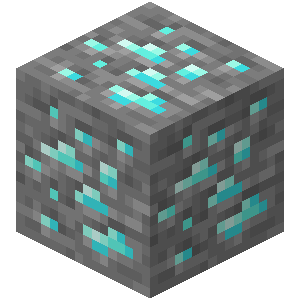
Diamond layer, Y=-59
Diamonds glow through transparent stone and deepslate.
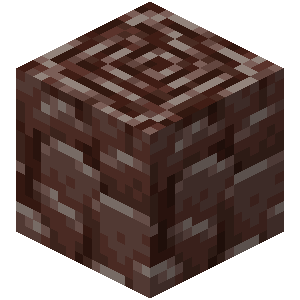
Ancient debris, Nether Y=15
Netherrack vanishes. Ancient debris and nether gold stay fully opaque.
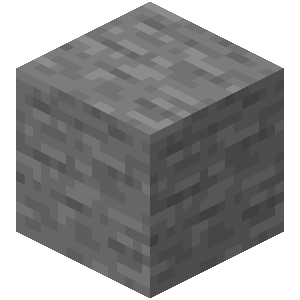
Stone, fully transparent
Stone disappears. Ore veins and cave systems read at a glance.
Heads up · Brightness
X-Ray makes filler blocks transparent, which means caves can render pitch black. After enabling the pack, set Video Settings → Brightness to maximum, or edit options.txt and set gamma:5.0 for full fullbright. The pack is not broken if it looks dark — you just need brightness cranked.
Minecraft versions
Free forever
To install
Recent updates
Actively maintained
Packs are refreshed when Minecraft ships a new version. The site gets new install help and guides on a steady cadence.
August 28, 2026
Java 26.2 and Bedrock 26.45 packs shipped for Chaos Cubed. The new sulfur and cinnabar terrain follows the established X-Ray edge treatment, while potent sulfur, sulfur spikes, and ores stay visible.
June 16, 2026
Java 26.2 compatibility work: bumped
pack_formatto 88 and validated the pack in a live 26.2 world. Per-version download pages are available at/java/<version>.April 12, 2026
Launched the guides hub with articles on best Y levels, finding diamonds, finding ancient debris, and Sodium/Iris compatibility.
FAQ
Frequently asked questions
Looking for mining tips or version breakdowns? Check the guides for best Y levels, diamond mining, ancient debris, and more.